
FESCO Bill Online Check & Duplicate Bill Download 2026
Check your latest FESCO electricity bill online in seconds. Enter your 14 digit reference number, view your duplicate bill, download PDF, and print it anytime.
What is FESCO?
FESCO stands for Faisalabad Electric Supply Company. It provides electricity services to millions of residential, commercial, and industrial consumers in Punjab, Pakistan. This page helps FESCO users check their monthly electricity bill online without waiting for the printed bill.
How to Check FESCO Bill Online
1. Find Reference Number
Look at any old FESCO bill and find the 14 digit reference number printed near the top section.
2. Enter Number
Type your reference number in the online bill checker box above.
3. View Bill
Click the check bill button to open your latest FESCO duplicate bill online.
Areas Covered by FESCO
- Faisalabad
- Jhang
- Sargodha
- Toba Tek Singh
- Khushab
- Chiniot
- Mianwali
- Bhakkar
Why Use FESCO Duplicate Bill Online?
Sometimes the printed electricity bill is delayed, misplaced, or not delivered. With the online duplicate bill option, you can quickly view your bill, check the due date, confirm payable amount, download a copy, and pay before the deadline.
- Original bill not received
- Need quick payment copy
- Want PDF record
- Need bill while traveling
- Lost electricity bill
- Need urgent print copy
FESCO Bill Payment Methods
Mobile Wallets
Pay your FESCO bill through JazzCash, Easypaisa, and other supported wallet apps.
Banking Apps
Use mobile banking apps like HBL, Meezan Bank, UBL, Allied Bank, and other Pakistani banks.
Physical Payment
You can also pay through bank branches, post offices, ATMs, and authorized payment centers.
Common Charges on FESCO Bill
- Electricity unit charges
- GST
- Fuel Price Adjustment
- TV Fee
- Meter rent
- Late payment surcharge
FESCO Bill Online FAQs
How can I check my FESCO bill online?
Enter your 14 digit reference number in the bill checker box and click the check bill button.
Can I download FESCO duplicate bill?
Yes, after opening your bill, you can download or print a duplicate copy.
Where can I find my reference number?
Your reference number is printed on the top section of your previous electricity bill.
Is FESCO online bill checking free?
Yes, checking your FESCO bill online is free.
Can I pay my FESCO bill online?
Yes, you can pay through mobile banking apps, JazzCash, Easypaisa, ATMs, and bank branches.
Need Your Latest FESCO Bill?
Enter your reference number and check your duplicate electricity bill online now.
Check Bill NowCheck FESCO Bill Online (Fast & Easy)
Checking your fesco online bill check is simple and takes less than a minute.
Steps:
- Enter your 14-digit Reference Number
- Click on Check Bill
- Your bill will appear instantly
- Download or print your bill
No signup. No delay. 100% free.
What is FESCO?
FESCO stands for Faisalabad Electric Supply Company. It is responsible for supplying electricity to several districts in Punjab, including:
- Faisalabad
- Jhang
- Toba Tek Singh
- Chiniot
- Sargodha
- Mianwali
- Bhakkar
FESCO serves millions of customers, and to make things easier, it offers an online bill checking system.
How to Check FESCO Bill Online
Checking your FESCO bill online is simple. You only need your 14-digit reference number.
Step-by-Step Guide
- Open your browser (Chrome, Edge, etc.)
- Go to a FESCO bill checking website
- Enter your 14-digit reference number
- Click on the “Check Bill” button
- Your bill will appear on the screen
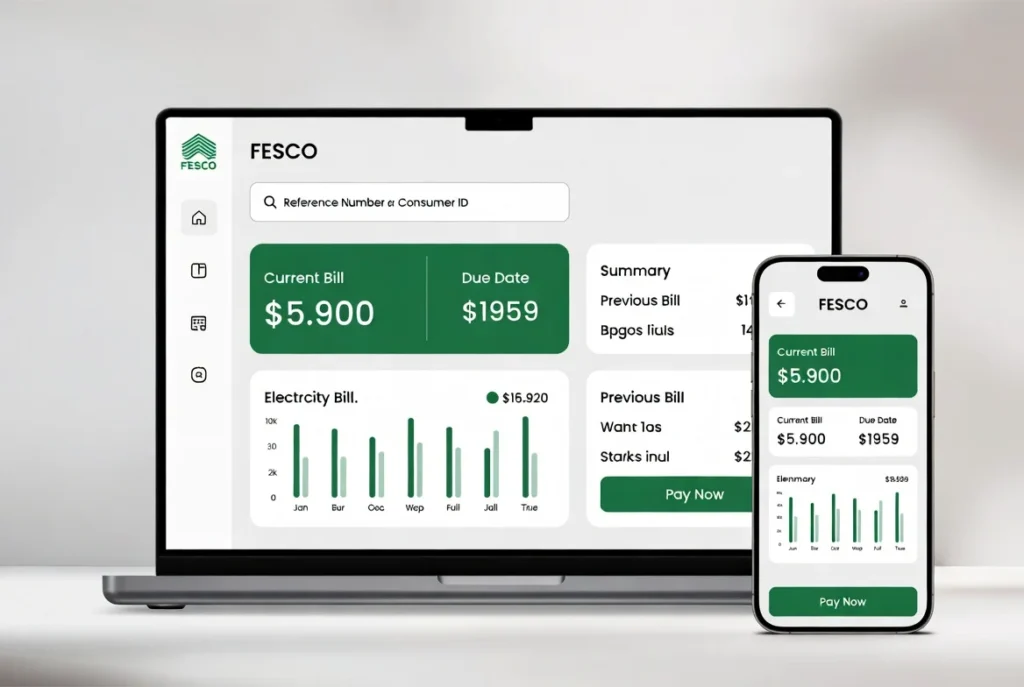
You can now view details like:
- Total bill amount
- Due date
- Units consumed
- Previous bill history

Where to Find Reference Number
Your reference number is printed on your previous electricity bill.
Look at the top corner of your bill. It will be a 14-digit number like this:
12345 1234567 1
Make sure you enter it correctly without spaces when checking online.
How to Download or Print FESCO Bill
Once your bill appears on the screen, you can easily download or print it.
Steps:
- Click on Download (PDF) option
- Save the file on your device
- Or click Print to get a hard copy
This is useful if you need a duplicate bill or want to keep a record.
How to Pay FESCO Bill Online
You don’t need to stand in long lines anymore. You can pay your bill online using different methods.
Online Payment Methods:
- Mobile Banking Apps (JazzCash, Easypaisa)
- Bank Apps (HBL, UBL, Meezan, etc.)
- ATM Machines
- Internet Banking
Steps to Pay via Mobile App:
- Open your banking app
- Go to Bill Payment section
- Select Electricity
- Choose FESCO
- Enter your reference number
- Confirm payment
Your bill will be paid instantly.

Benefits of Checking FESCO Bill Online
Using the online system has many advantages:
1. Saves Time
No need to visit offices or wait in queues.
2. 24/7 Access
You can check your bill anytime, even at night.
3. Easy Record Keeping
Download and store bills in PDF format.
4. Safe and Secure
No risk of losing your bill.
5. Environment Friendly
Reduces paper usage.
Common Issues and Solutions
Sometimes users face problems while checking their bill online. Here are some quick fixes:
Invalid Reference Number
Double-check your 14-digit number.
Website Not Loading
Try refreshing or use another browser.
Bill Not Showing
It may not be generated yet. Wait a few days.
FESCO Bill Details Explained
When you check your bill online, you will see several terms. Here’s what they mean:
- Units Consumed: Total electricity used
- Peak Hours Charges: Higher rates during peak times
- Fuel Adjustment Charges (FAC): Extra cost based on fuel prices
- GST: Government tax
- Arrears: Previous unpaid amount
Understanding these details helps you manage your electricity usage better.
Tips to Reduce Your Electricity Bill
If your bill is too high, try these simple tips:
- Use energy-saving appliances
- Turn off unnecessary lights
- Avoid using heavy devices during peak hours
- Install LED bulbs
- Use fans instead of AC when possible
These small changes can reduce your monthly bill significantly.

Is FESCO Bill Online Safe?
Yes, checking your bill online is completely safe if you use trusted websites or official platforms.
Make sure:
- The website is secure (HTTPS)
- You don’t share your reference number publicly
- Use trusted apps for payments
Why Online Bill Checking is Important in 2026
With digital systems improving in Pakistan, online services are becoming essential. FESCO online billing helps users:
- Stay updated with due dates
- Avoid late payment charges
- Manage expenses easily
It is now a basic need for every household.
Final Words
Checking your FESCO bill online is quick, simple, and saves time. You only need your reference number to access complete bill details. With online payment options, you can avoid long queues and pay your bill from home.
If you regularly check your bill online, you can also track your electricity usage and reduce unnecessary costs.
Start using online services today and make your life easier.